Ticketing system
Diskov tickets
A custom system for selling tickets and checking guests in at dance events. From choosing an event and paying to lightning-fast checks at the door – even without mobile signal.
01The brief
A dance event organizer needed to sell tickets under their own brand and avoid the steep commissions of the big ticketing platforms. Their previous solution was technically fragile, awkward to use on mobile, and the check at the door had serious security gaps. The goal was a reliable system where visitors can buy a ticket on their phone in a few minutes, while the organizer gets a complete overview of revenue and can check in hundreds of people at the door without delays – even when mobile signal drops on site.
02The solution
Diskov tickets consists of three connected parts, which I designed and built from scratch all the way to production.
Sales website
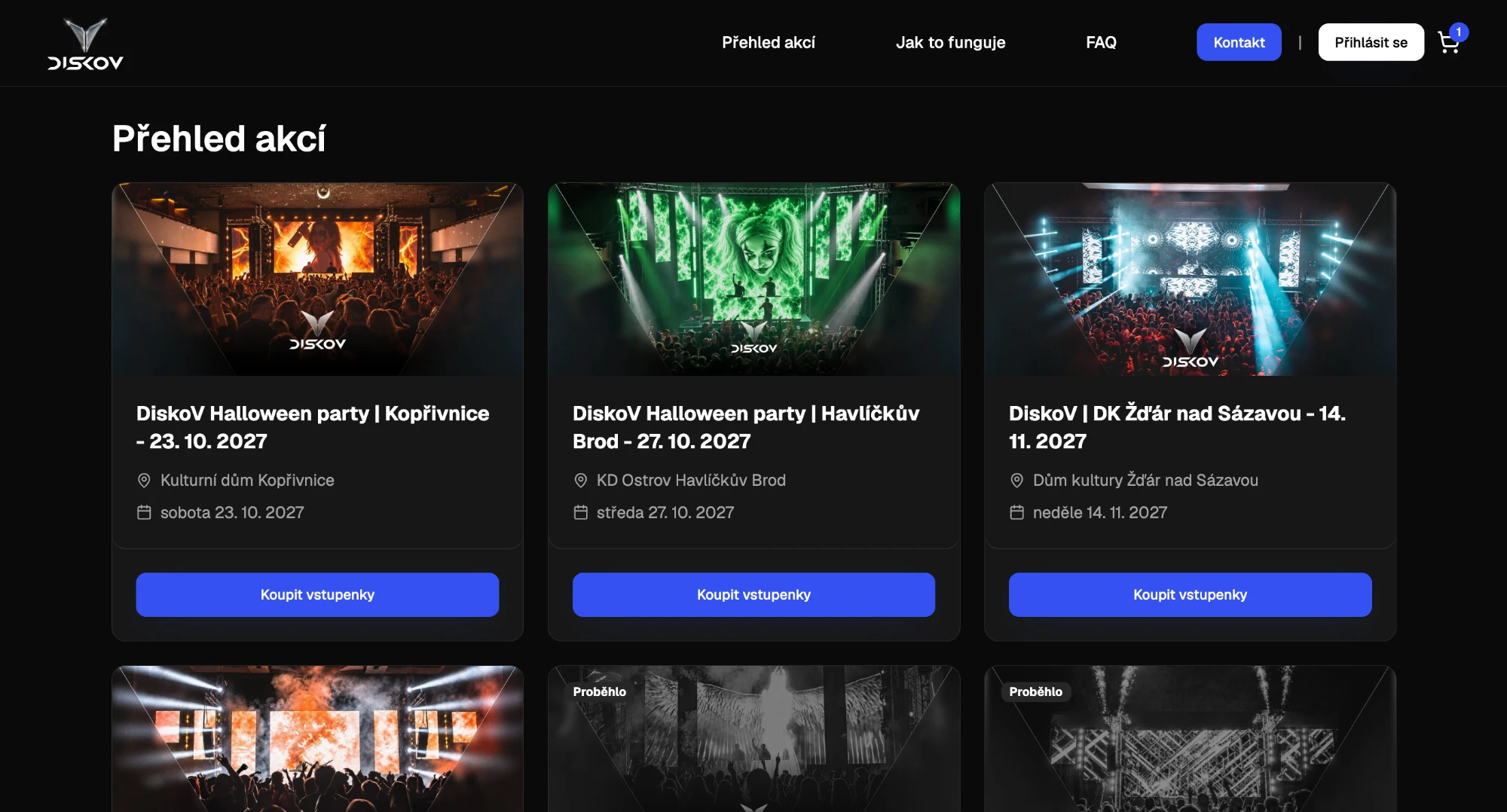
An interface designed mobile-first, since that is where the vast majority of purchases come from. It includes:
- an overview of upcoming and past events,
- event detail pages with individual ticket price tiers,
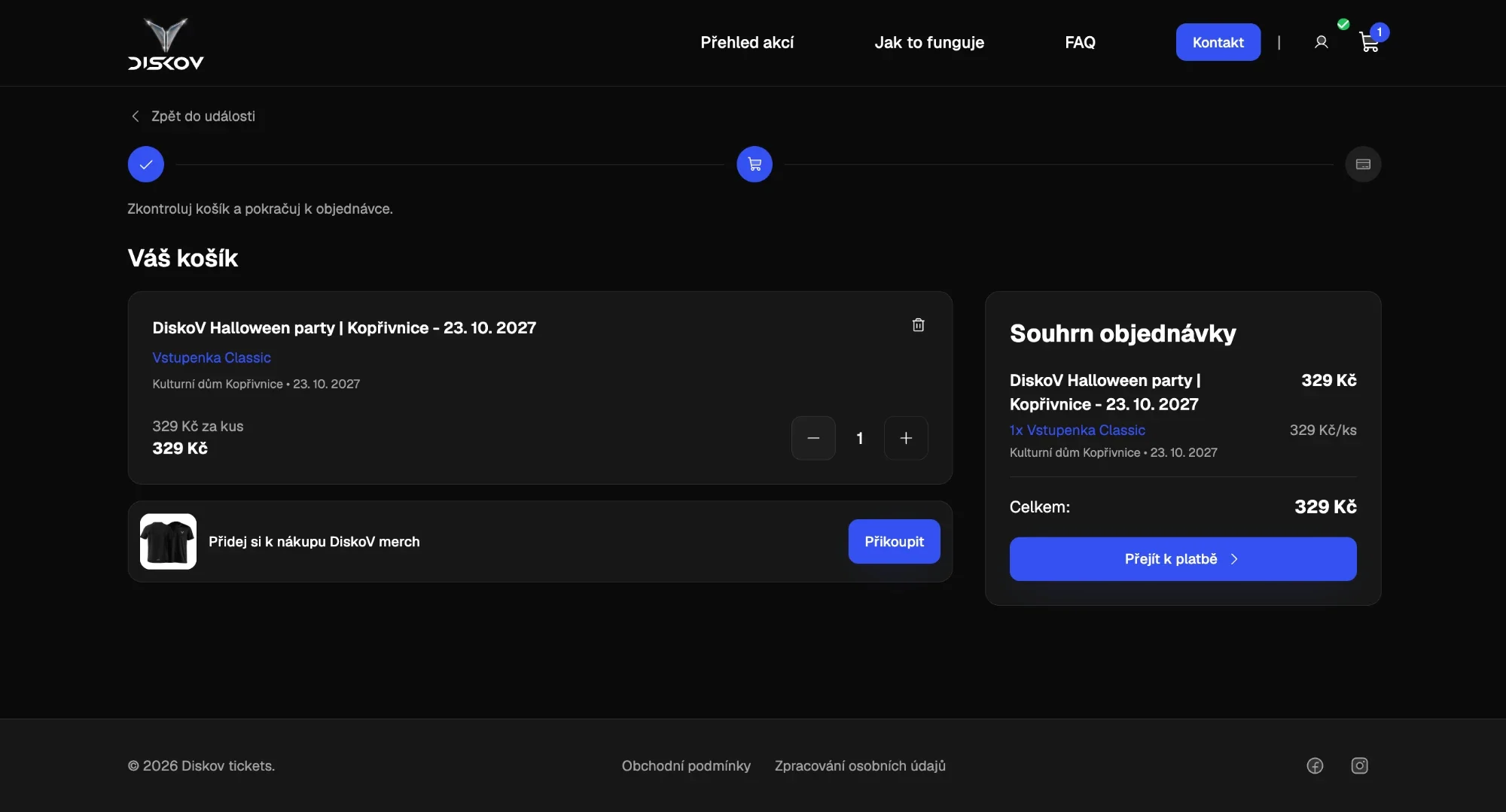
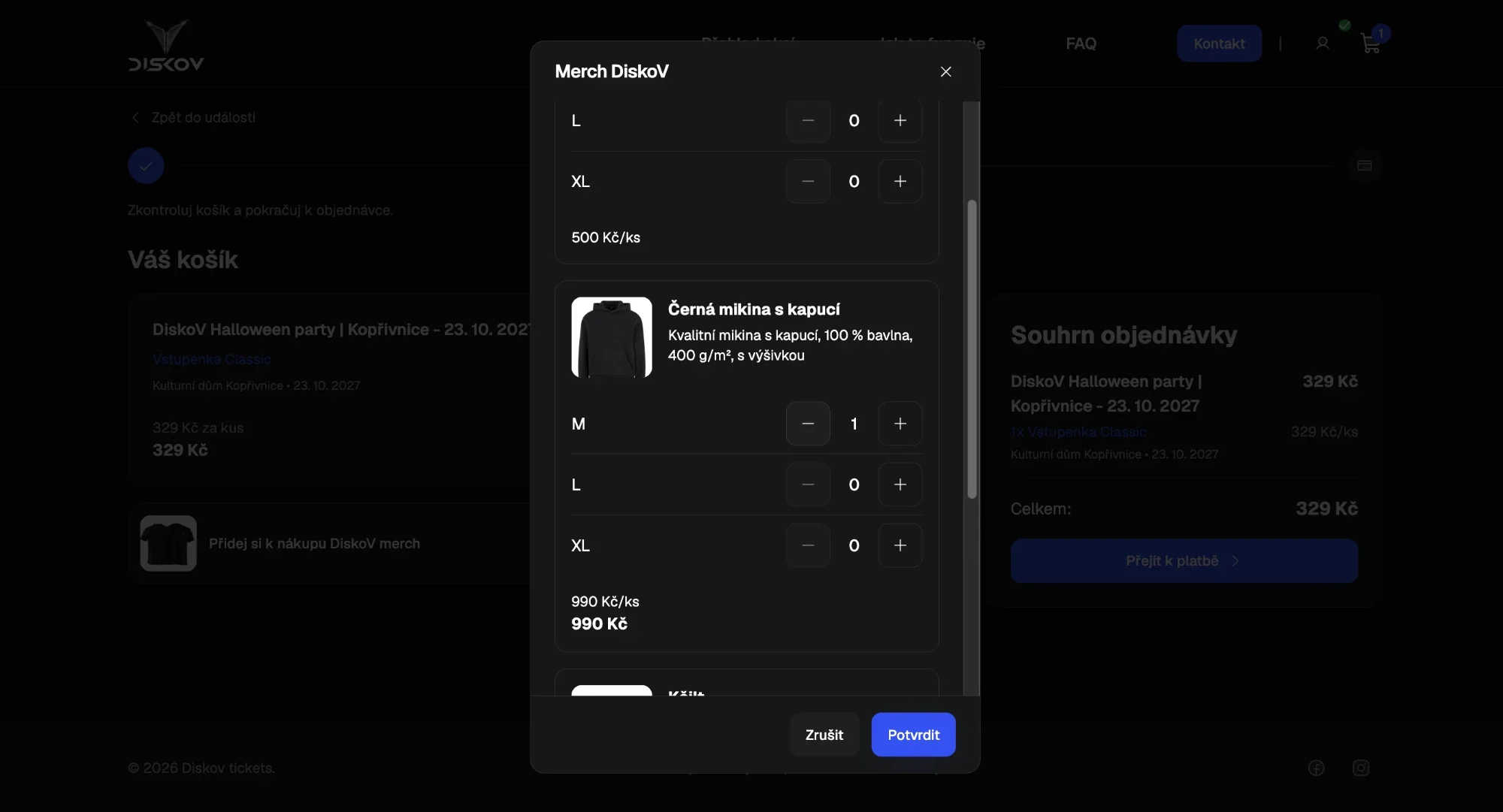
- merch upsells (T-shirts and other goods) right in the shopping cart,
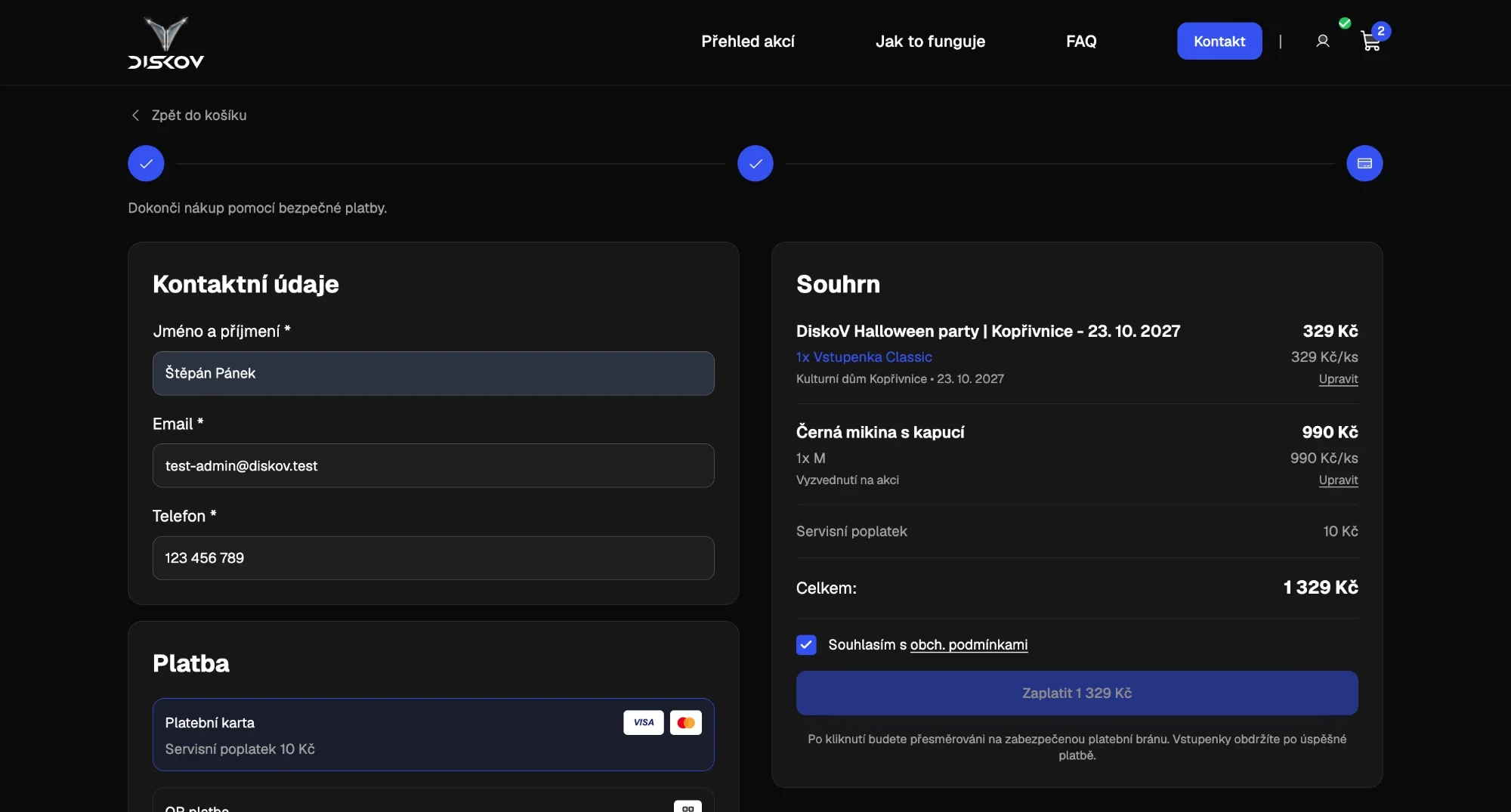
- a clear checkout with payment by card or QR code,
- a user profile and a My tickets section.
After payment, customers receive an email with their tickets as PDFs with a unique QR code, and they can access them anytime in their account. I unified the whole site into a consistent design system based on the Figma design, including colors, typography, components and micro-animations.
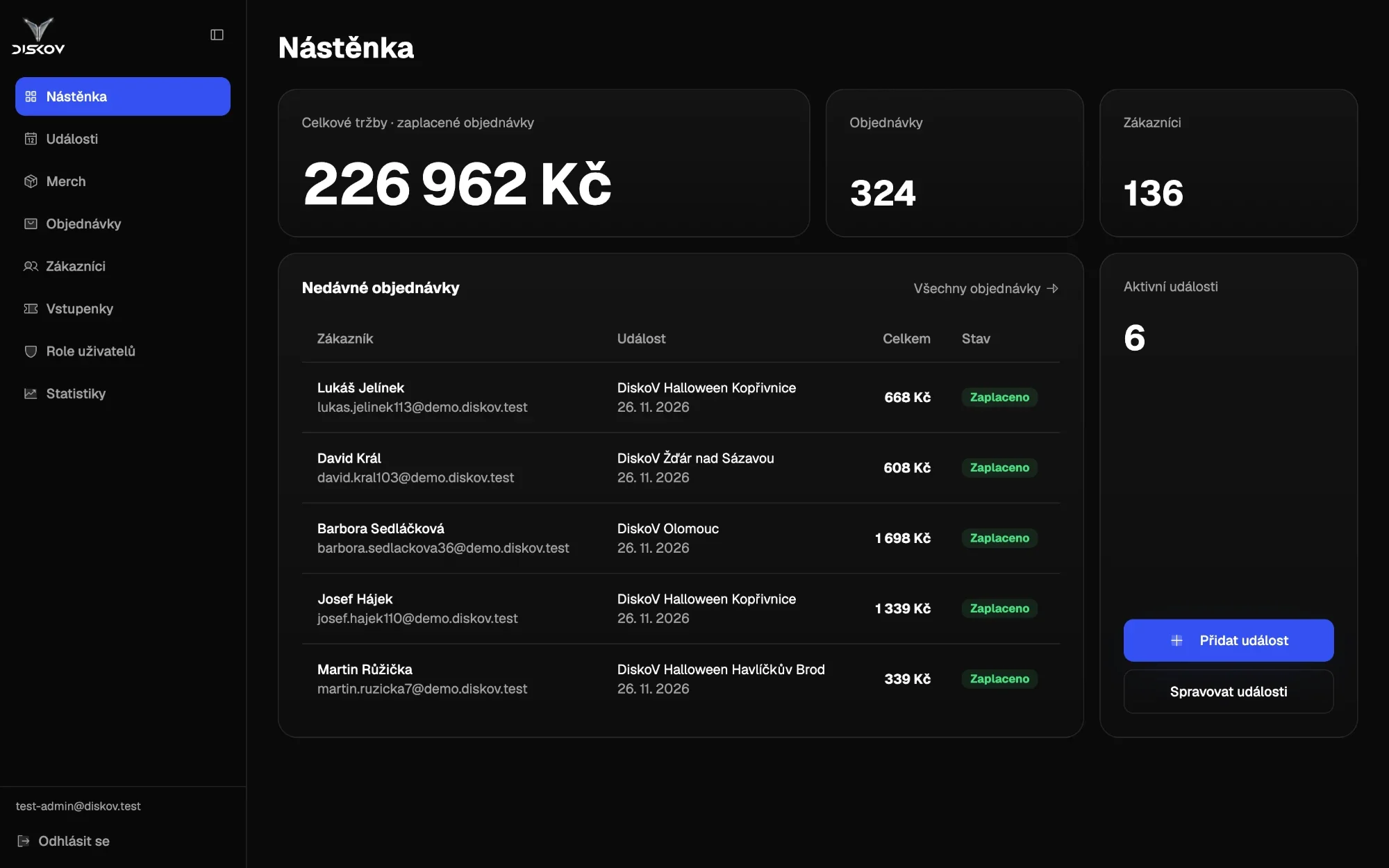
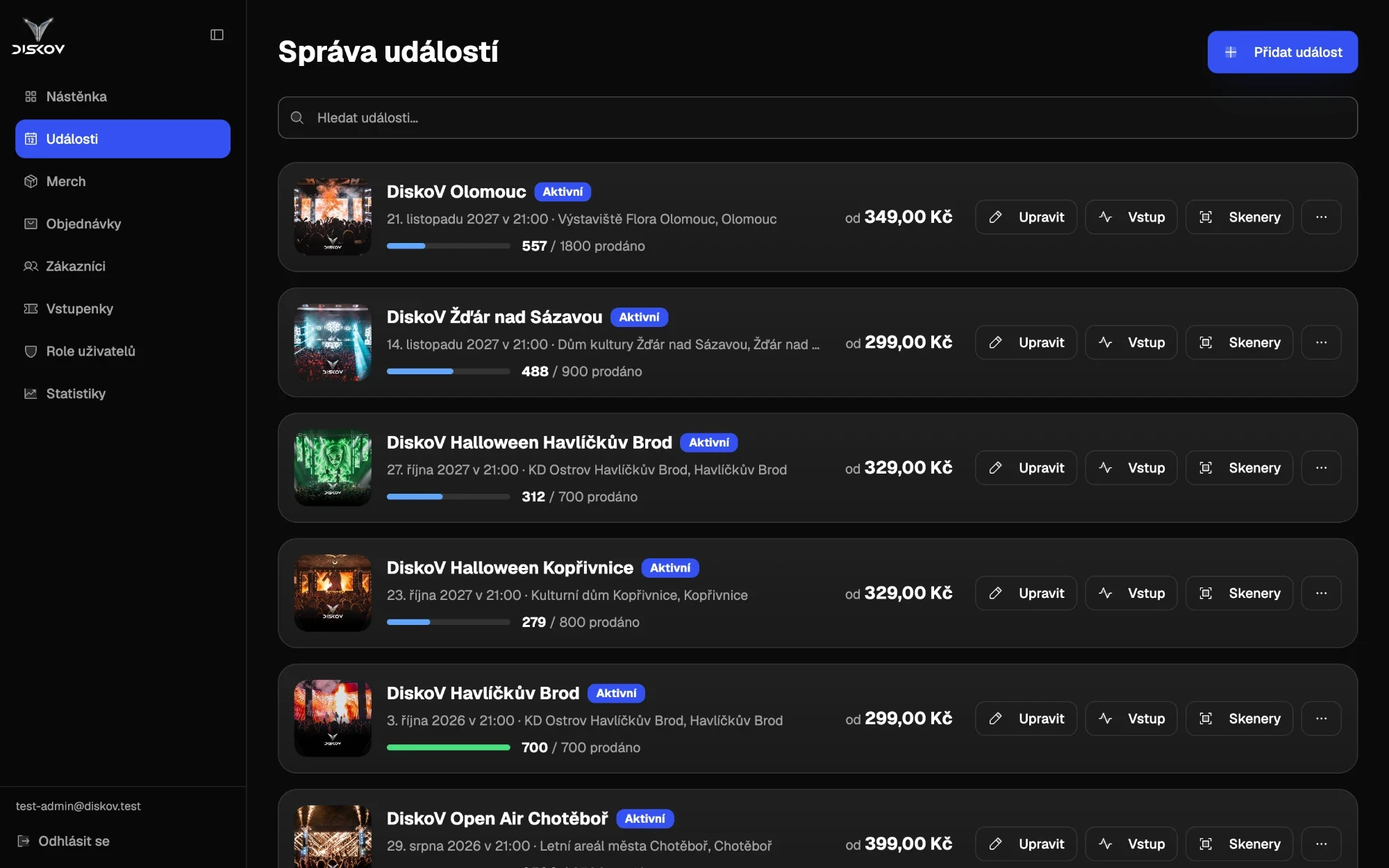
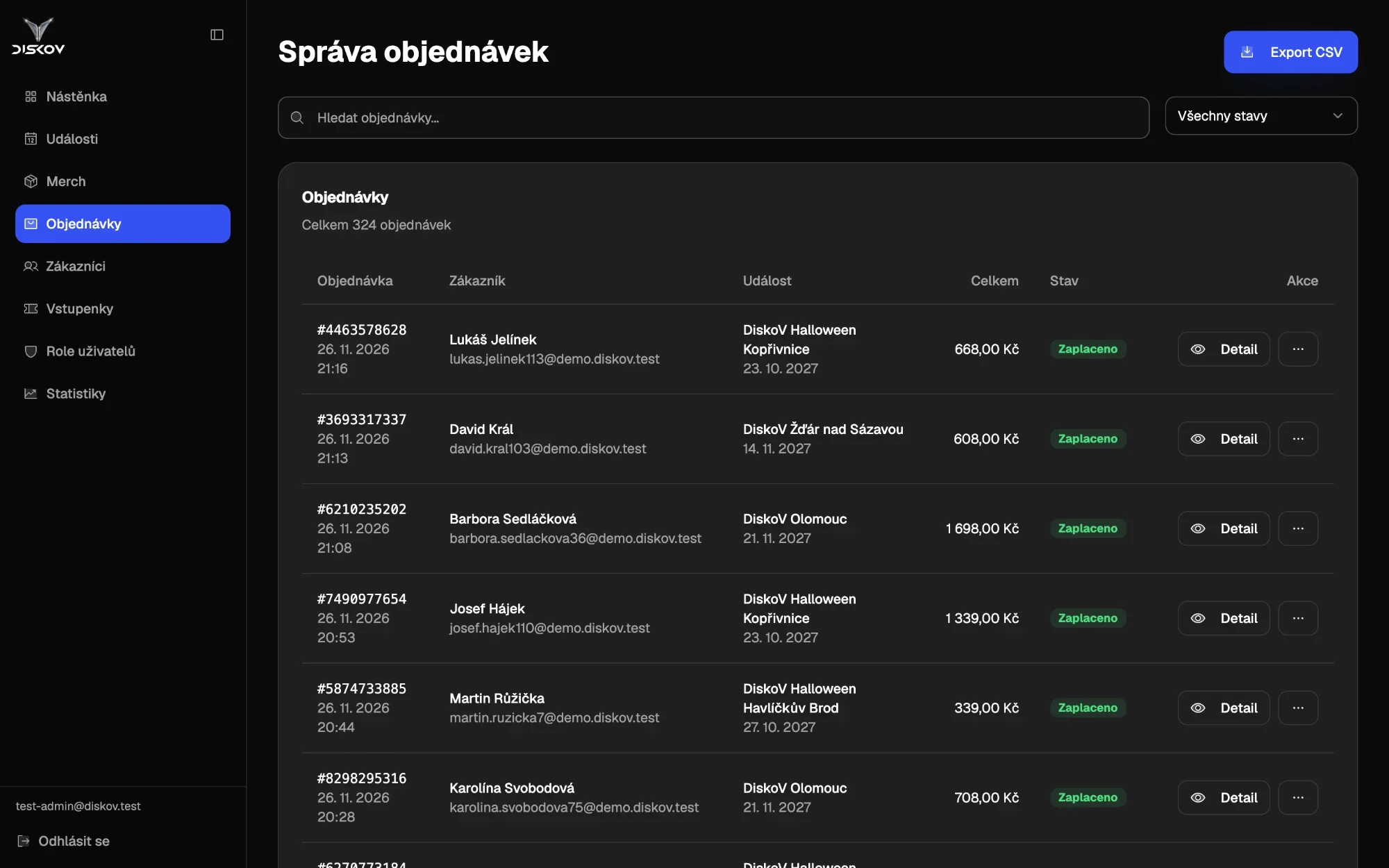
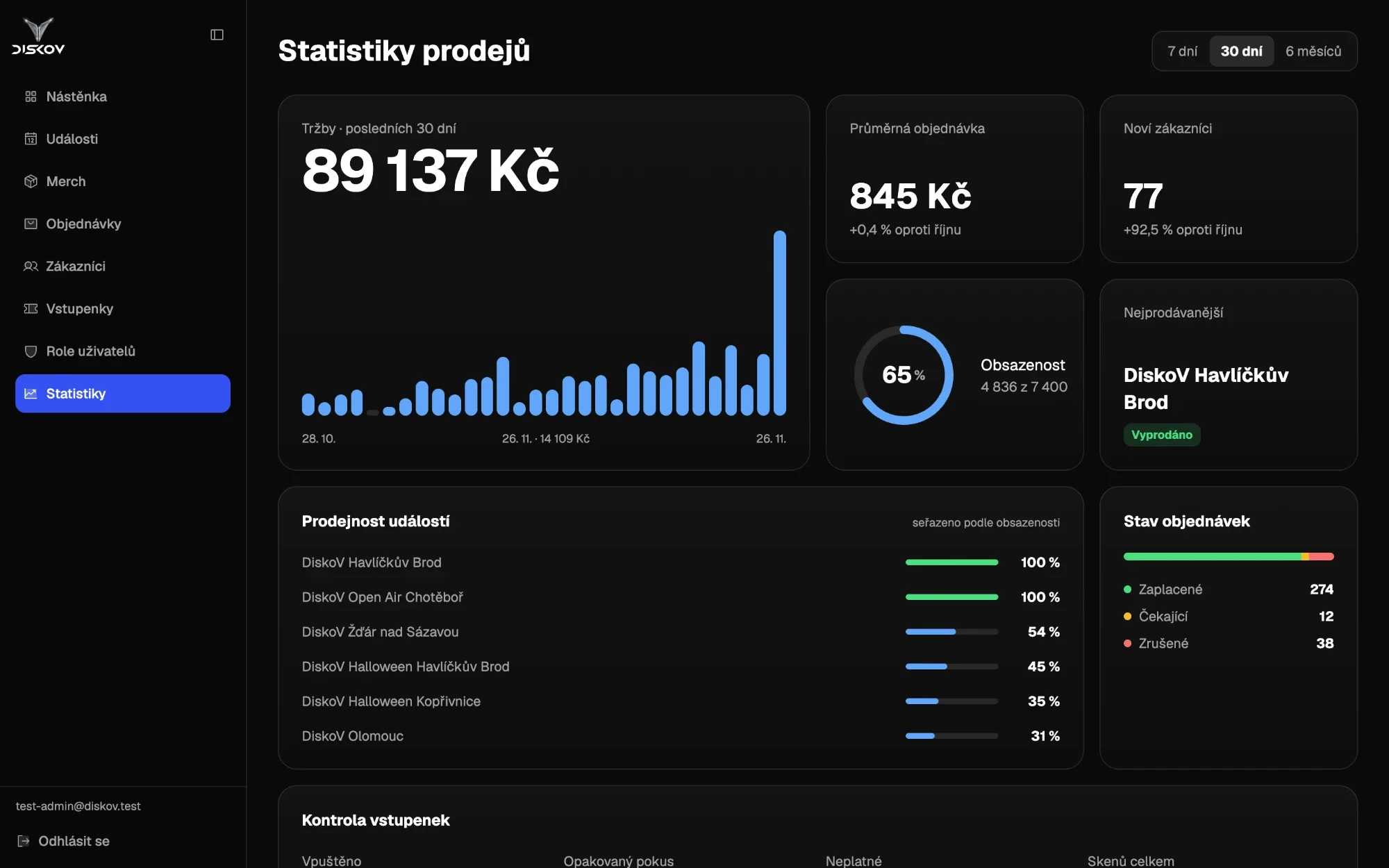
Organizer admin panel
A complete back office for managing sales and the event itself. In it, the organizer:
- creates new events,
- sets ticket price levels and capacities,
- manages orders, the customer database and merch inventory,
- handles cancellations and order changes.
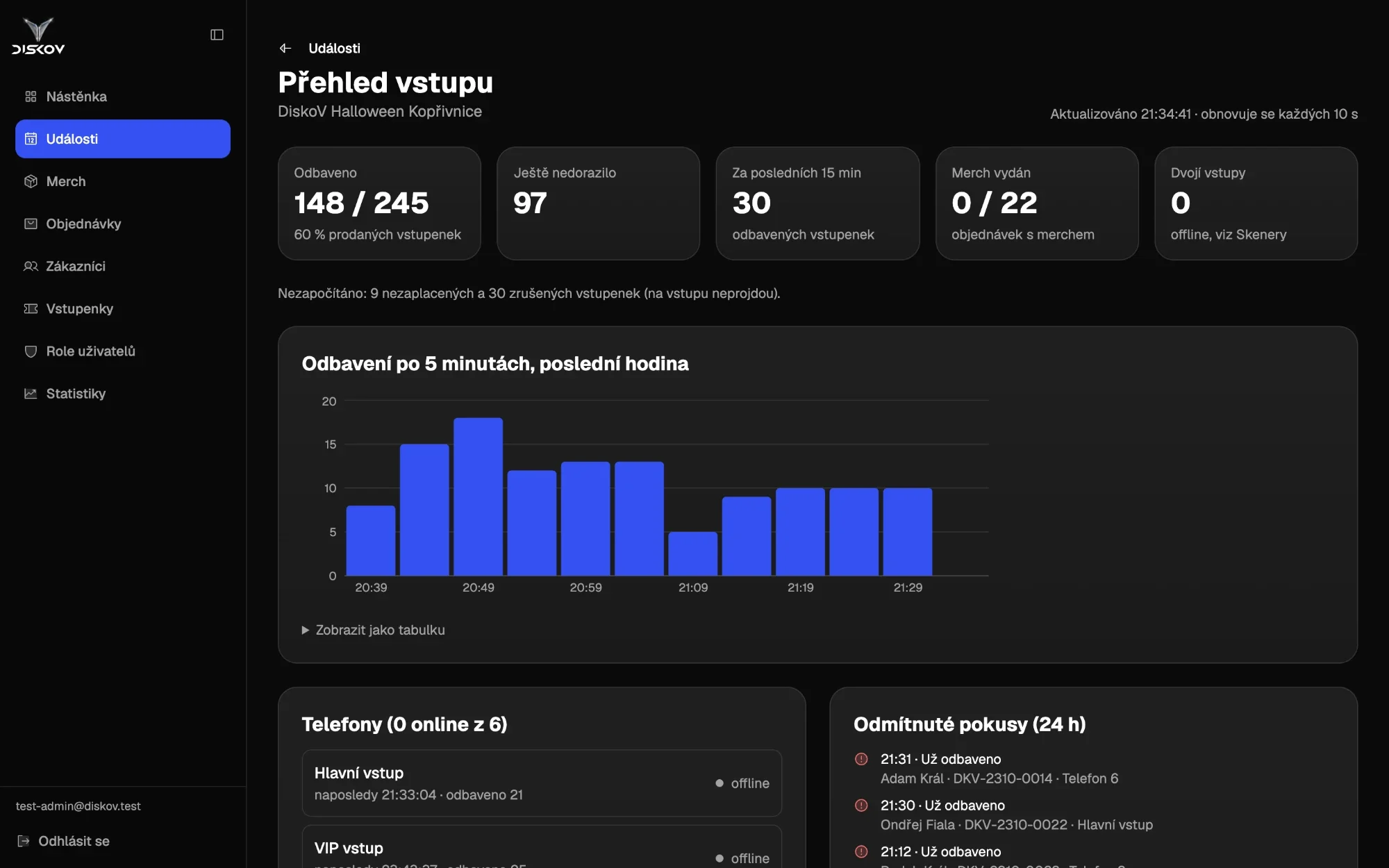
On event day, the admin panel works as a live control center. It shows in real time how many visitors have already come through the entrance and through which scanners, and lets you pair additional phones instantly.
Ticket check-in app
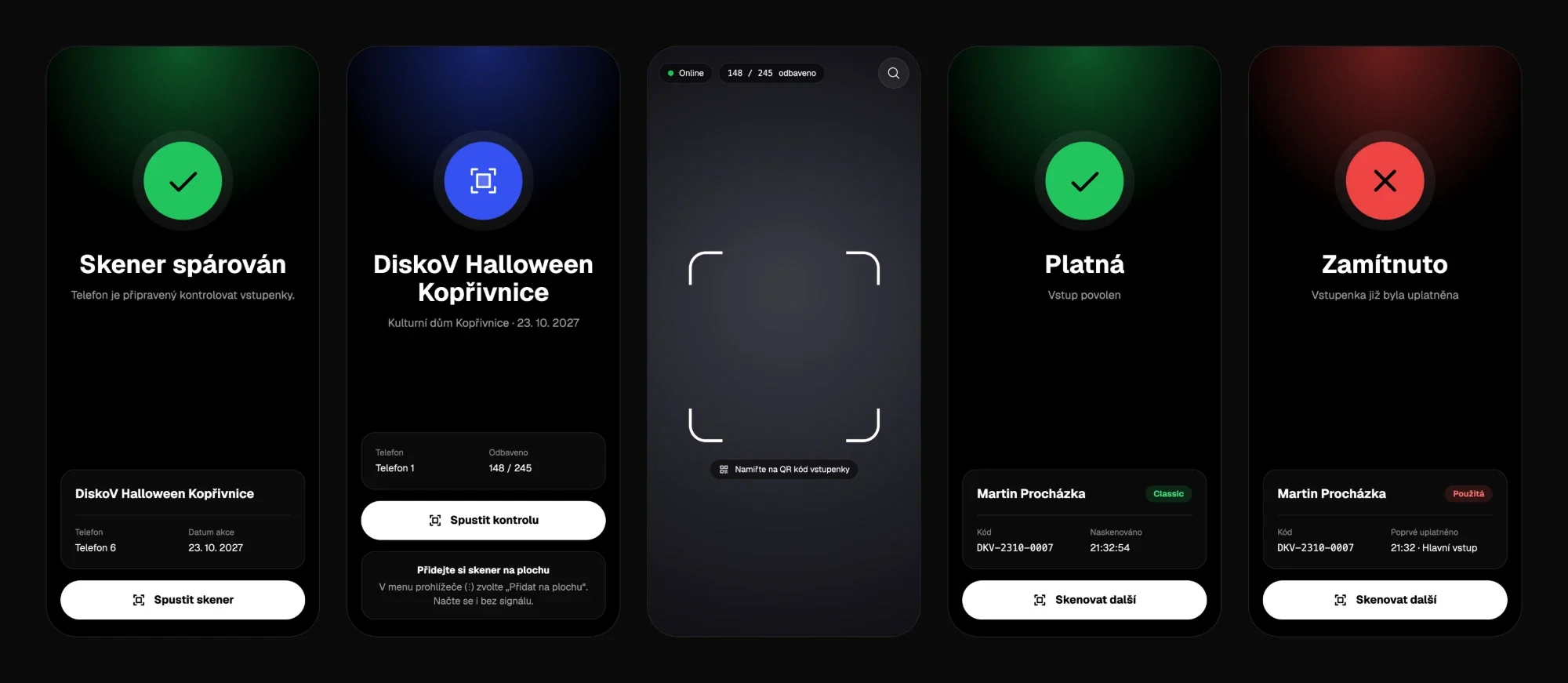
An installable web app (PWA) that turns any ordinary smartphone into a professional ticket scanner, with no need to buy expensive hardware.
- Instant pairing: A phone connects to an event by scanning a single QR code from the admin panel. One code works for any number of devices at once.
- Bulletproof checks: As soon as a ticket is scanned, a clear green or red screen lights up with the name, ticket type and time. For an already used code, the app shows exactly when and at which entrance it first went through.
- Extra features at the door: Staff can hand out pre-purchased merch right in the app, or check in a guest by name if their phone screen is damaged.
- Fully functional without signal: Before the event starts, the app downloads the ticket database and keeps checking guests in smoothly even offline. Once the connection is back, it securely syncs all data and flags any duplicates.
The entire product was built with AI vibecoding, from the first prototype to a version ready to run on its own server.
03How I worked with AI
Vibecoding is not about writing one prompt and hoping for the best. It is a managed process built on solid architecture, iterative development and continuous testing.
On Diskov tickets, I led a team of specialized AI agents with clearly separated roles for development, code review, testing in a real browser and UX review, where an agent compares the running app directly against the Figma design. The agents check each other's work, and no change moves forward until it passes review, automated tests and a run-through of the entire purchase and check-in flow. The project rules are thoroughly documented, so throughout development the agents consistently follow the design tokens, status colors, payment handling and security principles.
My role covered product management, UX and technical oversight. I set the direction and priorities, designed how the system should behave in real-world use at the door, validated each output and took full responsibility for the final product.
04What I built
- End-to-end product development with a team of specialized AI agents
- Mobile redesign based on Figma and a unified design system
- Sales website with a cart, merch sales and payment by card or QR code
- Automatic PDF ticket generation and transactional emails
- Admin panel for managing events, orders and customers
- Installable PWA ticket check-in app with offline mode
- Live entry flow overview for the organizer
- Migration from a hosted service (Supabase) to a custom backend and database
05Challenges and solutions
Check-in even without mobile signal
At events with thousands of visitors, the mobile network often collapses, but the line at the door cannot stop. So before the event, the app downloads the list of valid tickets and verifies them locally, even without internet. It stores each check-in in a queue with a unique identifier and, once the connection is back, securely sends it to the server – even repeatedly, without creating duplicate records.
Syncing multiple phones at one entrance
When several people are checking guests in at the entrance at the same time, one QR code must never get through twice. That is why the phones verify tickets against a central server and continuously exchange the current state. If a duplicate entry attempt happens during a network outage, the app reports it immediately after syncing. I simplified pairing to a single code for the whole event, so adding a backup phone takes just a few seconds.
Protection against ticket forgery and misuse
A security audit of the previous solution revealed critical gaps that allowed someone else's or an unpaid ticket to be checked in. So I rebuilt the entire mechanism on strict security rules:
- QR codes are stored in the database only as a cryptographic fingerprint (hash),
- each paired phone has its own access key, which can be revoked from the admin panel at any time with one click,
- a ticket is activated automatically only once the payment gateway confirms the payment has been received.
On top of that, all critical scenarios are covered by automated tests.
An interface built for darkness, rush and noise
At a club entrance, it is dark, the music is loud and the line keeps pushing. Staff have no time to read small text, so the check result has to be readable from a distance at a glance. That is why I designed bold full-screen states: vivid green for a valid ticket and red for a rejected one. Each screen also has a large icon, a short animation and an automatic return to scanning mode, while the phone display stays on the whole time and never goes to sleep.
06What this approach brings
Team-level output at a fraction of the time and budget
Instead of a costly team of developers, testers and DevOps specialists, one architect supported by AI agents was enough. There are no delays from communication, approvals or coordination between roles. The product was built at a fraction of the usual cost and at a pace that makes it possible to respond to feedback right away and ship new features within hours.
A working MVP before you bring in your in-house team
Have an idea for a digital product but don't want to commit expensive developer capacity right away? I will build a working version you can use to validate the concept with real users. Meanwhile, your team can stay fully focused on existing projects. Once the product proves itself on the market, they can take over the finished foundation or develop it further to their own standards – already confident they are building something people want.
07Where vibecoding hits its limits
- AI makes different mistakes than people do and needs human oversight: AI can make mistakes that would never occur to a person, and it often wraps them in code that looks perfectly correct at first glance. Automated tests are not enough. I have to personally go through every key step, test it in real-world use and make sure it also makes sense from the user's perspective. Without a final human eye, these blind spots would reach customers.
- Without technical foundations, you get technical debt: AI writes a working piece of code on demand, but it does not see the bigger picture. Even though I am not a traditional backend developer, my experience with coding and building websites gives me a key understanding of how things work under the hood. That lets me keep the project structure in check, understand how the data connects and spot early when the AI is heading down a dead end. Without these technical foundations, a fast start would turn into unmaintainable chaos within a few months.
- Responsibility and final decisions always stay with a human: AI carries no legal or business responsibility. Server security, GDPR-compliant personal data protection and reliable payments require someone who knows how to ask the right questions, have the risks reviewed and make sure nothing is left to chance. Technology brings speed, but the guarantee of quality and safety is something I have to earn and vouch for myself.